
Word list
The Explorer of the Domain view lists the words of your code and shows where in the file tree each of them lives.
Files and Words
Section titled “Files and Words”Switch between its two modes at the top:
- Files: the file tree, as in the other views. Selecting a folder or file scopes the cloud to it. Files and folders without domain words are grayed out. Right-clicking a node offers Show in Metrics / Show in Dependencies and Focus for folders.
- Words: every word of the project with its share of all occurrences and its count. Sort the list by Occurrences, Name or Relevance, and search it by typing words separated by commas; matches are marked in the cloud.
Where a word lives
Section titled “Where a word lives”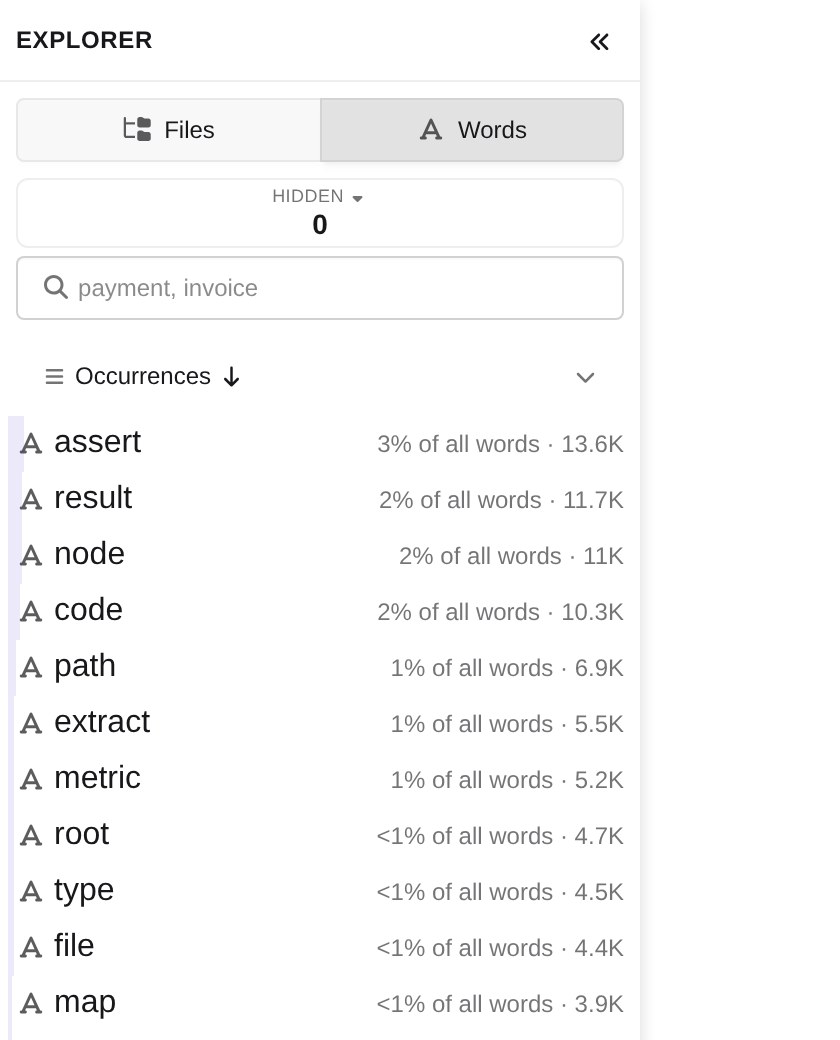
Opening a word, from the list or from the cloud, pins it in the Pinned strip at the top of the Explorer and breaks it down over the file tree, so you can see which folders and files use it most. The ✕ (Unpin this word) closes it again.
The HIDDEN chip counts the words you have hidden. Click it to list them and bring single words, or all of them, back.
Focusing a folder limits the cloud and the word list to that folder; the focus is the one the other views share.